
How to Charge a Car Battery Safely With a Charger
Charge a 12 V car battery safely: match an automatic charger to its chemistry, connect correctly, monitor progress and disconnect in order.
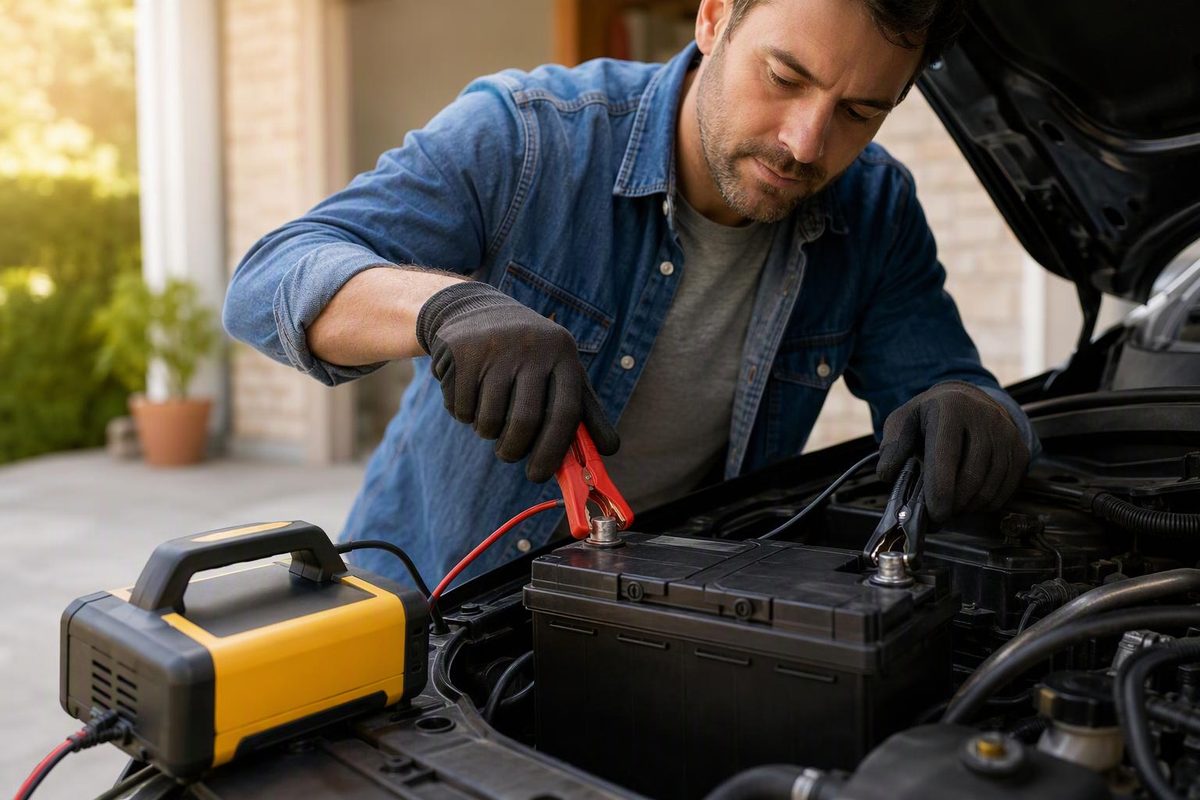
Use an automatic charger compatible with the battery’s voltage and chemistry. With the charger unplugged, connect red to positive (+), then black to the vehicle’s approved ground point. Plug in, confirm the correct charging mode and wait for the charger’s full-charge indication. Unplug before removing black, then red.
That sequence applies to a conventional 12 V, negative-ground vehicle using a charger with red and black clamps. Follow the vehicle and charger manuals if they specify different connection points or procedures. The steps below cover flooded, EFB and AGM lead-acid batteries—not an EV’s high-voltage traction battery or a lithium auxiliary battery.
1. Check the battery and prepare the area
Do not charge a frozen battery or one with a cracked case, swelling or an electrolyte leak. Have a damaged battery assessed rather than attempting a recovery mode. CTEK’s preparation guidance calls for checking damage and leaks; NOCO’s charger manual prohibits charging a frozen battery.
Before handling the connections:
- Park securely, switch the vehicle off and turn off lights and accessories.
- Work in a well-ventilated area, away from cigarettes, flames and sparks.
- Wear eye protection and protective gloves; remove watches, rings and other metal jewelry.
- Keep the charger dry and uncovered. Route its leads away from belts, fans and anything that could pinch them.
- Inspect the charger cables and battery connections. Do not use damaged cables or clamp onto badly corroded connections.
Lead-acid batteries can release explosive gases, and a metal object bridging a terminal and ground can cause a short circuit. These precautions follow NOCO’s safety instructions. If corrosion prevents a sound connection, address it first using the battery-terminal cleaning guide.
2. Match the charger and setting to the battery
Read the battery label and vehicle manual. “12 V” identifies nominal voltage, not the correct charging profile. Also check the charger’s supported battery-capacity range and the battery manufacturer’s recommended charging current.
| Battery label | What to confirm before charging |
|---|---|
| Flooded/wet lead-acid | The charger supports flooded batteries at the battery’s nominal voltage. |
| EFB | The charger explicitly supports EFB; use the mode its instructions specify. |
| AGM | The charger supports AGM and its charging profile meets the battery’s requirements. |
| Lithium/LiFePO₄ | Stop using this lead-acid procedure; follow the battery and vehicle’s lithium-specific instructions. |
| Type or voltage unclear | Identify the battery before connecting the charger. |
Mode names are not universal. For example, the NOCO GENIUS10 puts EFB in its standard 12 V mode but provides a separate 12 V AGM mode. Its manual instructs users to confirm voltage, chemistry and recommended charge rate before use. Source: GENIUS10 manual.
Do not select repair, recondition, equalize or force mode merely because the battery is flat. These are separate procedures, not ordinary charging settings. For help choosing compatible equipment, see how to choose a 12 V lead-acid charger.
3. Connect with the charger unplugged
You can charge an installed battery when both the vehicle and charger instructions permit it; removal is not automatically necessary. Use any designated charging terminals or remote connection points identified in the vehicle manual.
For a negative-ground vehicle:
- Leave the charger switched off and unplugged. Identify the actual + and − markings rather than relying only on cable colors.
- Connect the red clamp to the positive battery terminal or designated positive charging point.
- Connect the black clamp to the approved ground point away from the battery. Where the instructions allow a chassis or engine-block connection, use substantial, clean, unpainted metal—not a fuel line or thin sheet-metal part.
- Check that both clamps are secure and cannot touch each other.
This connection order and the ground connection away from the battery are specified in NOCO’s installed-battery instructions.
Do not assume the negative battery post is the right connection point. On vehicles with a battery-monitoring sensor, the connection point can affect whether charging is registered. CTEK recommends a chassis connection so the battery-management system can recognize charging. Use your vehicle’s approved point. Source: CTEK connection guide.
If the battery must be removed, follow the vehicle’s disconnection procedure and the charger’s separate out-of-vehicle instructions. A loose battery has no vehicle chassis ground; do not improvise that connection.
4. Start charging and monitor progress
Plug the charger into a suitable outlet, switch it on if required and confirm the selected mode. Some chargers remember their previous setting, so check it every time.
Watch for the charging indicator and any fault messages. Stop charging if the battery becomes excessively warm, starts leaking or changes shape. Do not keep restarting a charger that reports a battery fault; consult its manual and have the battery tested.
Wait for the manual’s full-charge indication—not simply the first green light. On the GENIUS10, for example, pulsing green during the initial charge means bulk charging is complete but optimization is still underway; solid green indicates 100% charged. After a full charge, green can pulse again during maintenance cycles. Source: charging and LED instructions.
Charging time depends on capacity in amp-hours (Ah), charge deficit, charger output, temperature and battery condition. Use the charging-time guide for estimates rather than treating a fixed number of hours as proof of completion.
5. Unplug, then remove the clamps
Once charging is complete:
- Switch the charger off if applicable and unplug it from the outlet.
- Remove the black clamp from the ground point.
- Remove the red clamp from positive.
- Replace protective terminal covers and remove the charger and leads before starting the vehicle.
This shutdown order follows CTEK’s disconnection instructions. Leave a charger connected for storage only if its manual explicitly permits maintenance charging under those conditions.
If it will not charge—or goes flat again
A charger that does not detect the battery has not necessarily diagnosed a failed battery. Check the outlet, clamp contact, polarity and mode with the charger unplugged. Very low battery voltage can also prevent detection, depending on the charger. Do not bypass its protections: NOCO warns that force mode disables safety features. Source: troubleshooting and force-mode warnings.
If charging finishes but cranking remains weak, or the battery soon goes flat again, arrange battery and vehicle-system testing rather than repeatedly charging it. A full-charge display is not a battery-health certificate. Start with the multimeter testing guide, then use the battery-or-alternator diagnostic guide to plan the next checks.