
Hyundai 12V Battery Reset Button: Press, Jump, or Replace
Learn when to press Hyundai’s 12V BATT RESET, the 30-second start sequence, what it reconnects, and when the battery needs a jump or test.
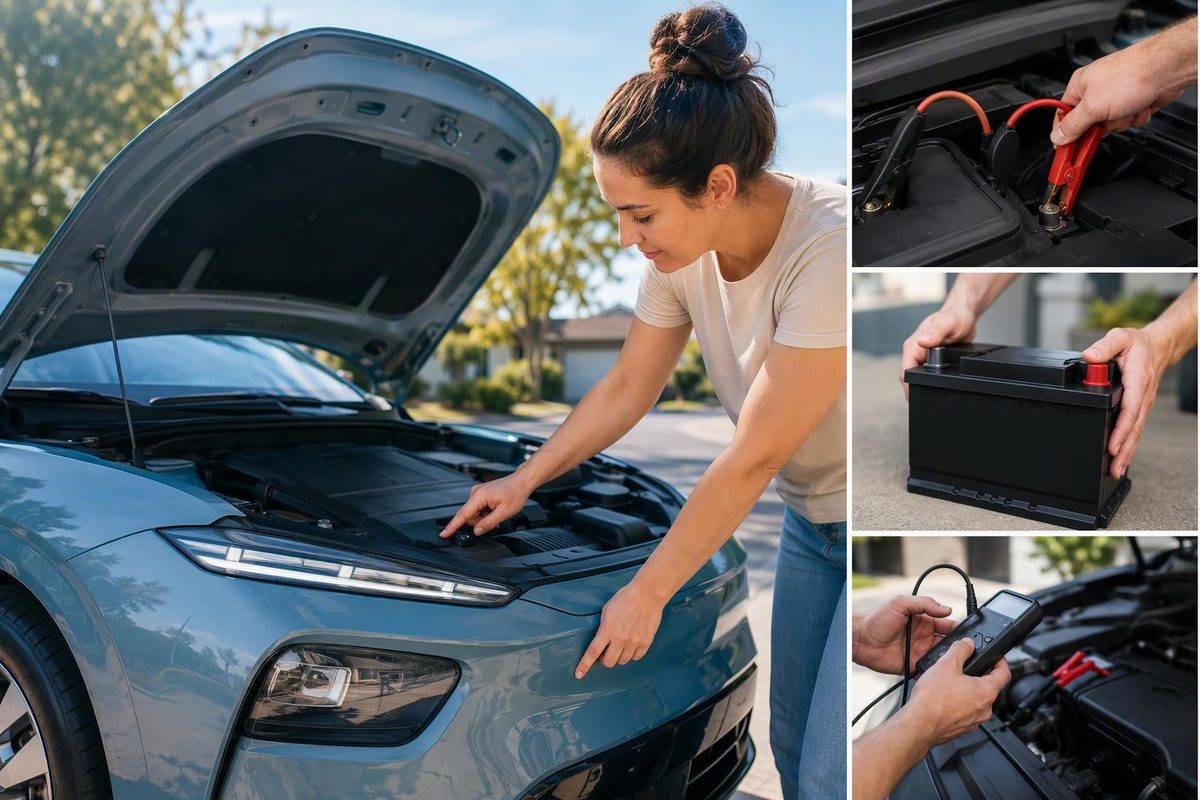
If your Hyundai has a 12V BATT RESET button, put the vehicle in Park, press the button as the owner’s manual directs, then hold the brake and press Start within 30 seconds on models with that stated window. Confirm READY, then follow the manual’s replenishment procedure—reported guidance for some models is to drive for at least 30 minutes. If the button is absent or the vehicle still will not reach READY, use the designated jump points or roadside assistance. If the fault returns, have the 12-volt battery tested and replace it only if testing shows it is failing.
Choose what the fob, dashboard, and reset button are doing; the tool gives you the recovery sequence and checks the available model evidence.
Set the three symptoms, then check the result before pressing a button or connecting a booster. The default result below remains usable without JavaScript.
Do not count a blank panel or nearby charging button as confirmation.
- Remove the concealed mechanical key from the fob and open the driver’s door as the manual shows.
- Put the vehicle in Park and locate only the confirmed 12V BATT RESET control.
- Press the reset as directed, hold the brake, and press Start within 30 seconds where that limit applies.
- Confirm READY—not merely dashboard lights—before selecting a gear.
- Follow the manual’s replenishment procedure; reported guidance for some models is a drive of at least 30 minutes.
| Observed State | Verdict | Immediate Sequence | Afterward |
|---|---|---|---|
| Locked, dark, confirmed reset | Press | Mechanical key → Park → reset → brake + Start promptly → confirm READY | Complete the specified replenishment drive |
| Door opens, dark, confirmed reset | Press | Park → reset → brake + Start promptly → confirm READY | Complete the specified replenishment drive |
| Lights, no READY, confirmed reset | Press once correctly | Verify Park, reset identity, timing, brake and Start sequence | If READY remains absent, use approved jump help |
| Dark, no confirmed button | Jump | Use only the manual’s designated terminals and cable order | Test the battery if discharge returns |
| Button status unknown | Verify first | Match model, year, powertrain, trim and market to the manual | Do not experiment with adjacent switches |
| READY already displayed | Do not reset | Read warnings and operate only as the manual permits | Investigate if prior discharge recurs |
| Reset or jump works once, then fails again | Test | Arrange a battery health and charging-system evaluation | Replace only if testing shows battery failure |
| Vehicle Record | Button Evidence | What the Supplied Evidence Supports | Required Verification |
|---|---|---|---|
| Hyundai Tucson HEV | Reported on some vehicles | Owner report places it near the driver’s left knee | Exact model-year and market manual |
| Hyundai Tucson PHEV | Reported absent on certain vehicles | A 2024 owner report describes recovery through under-hood booster terminals | Approved jump section and terminal diagram |
| Hyundai Ioniq 5 | — | Which? reports 27.3% owner-reported 12-volt failure; Hyundai described software updates | VIN campaign check and exact manual |
| Previous-generation Hyundai Kona | — | Hyundai described 12-volt battery-management software updates | VIN campaign check and exact manual |
| Kia EV6 | — | Which? reports 18.8% owner-reported 12-volt failure | Exact Kia manual; Hyundai instructions do not control |
| Other Hyundai/Kia electrified models | — | Equipment varies by model, year, powertrain, trim and market | Exact manual before pressing or jumping |
Use the concealed mechanical key if 12-volt loss has disabled electronic unlocking.
Press a confirmed reset button, or use the designated jump points if no button is fitted.
Look for READY, then follow the manual’s driving or charging instruction.
If RESET does not produce READY, move to approved external assistance.
A repeat discharge requires battery and charging-system testing.
Replace the 12-volt battery only when testing shows inadequate condition or capacity.
Sources: vehicle-specific Hyundai/Kia owner’s manual controls; The Autopian for the reported 30-second start window and 30-minute drive; Which? survey of 63,334 owners; cited Tucson owner reports. “—” means the supplied evidence does not establish button fitment.
The Button Reconnects the 12-Volt Supply
On equipped Hyundai and Kia hybrids, the 12V BATT RESET button closes a battery-protection relay that disconnected the low-voltage supply. That restores the power needed by computers, contactors, locks, and startup controls. Once the vehicle reaches READY, its high-voltage traction battery can support and recharge the 12-volt system through the DC-to-DC converter.
The button does not transfer a full charge into a dead battery when pressed. It creates an opportunity to start the vehicle and enter READY before the protection circuit disconnects again. That is why the startup attempt must follow promptly.
The Autopian’s explanation of the system reports a 30-second start window and a subsequent 30-minute drive for certain Hyundai and Kia vehicles. Those figures are not established as universal specifications. The owner’s manual for the exact model year, powertrain, trim, and market remains controlling.
Despite the word “reset,” this is not a factory-reset control. It does not intentionally erase radio presets, reset the clock, calibrate windows, or restore vehicle preferences. Some settings may need reinitialization because the 12-volt supply was interrupted, but that is a consequence of the power loss rather than the button’s purpose.
Use the Reset Before the 30-Second Window Closes
Use this sequence only if the matching owner’s manual identifies the control as 12V BATT RESET.
Prepare Before Pressing the Button
Put the selector in P (Park) and know where the brake pedal and Start button are. Do not press the reset and then begin searching for the startup instructions; the available window may expire.
Verify the label itself. Do not confuse the reset with the fuel-door release, instrument-lighting adjustment, or a scheduled-charging override. Button location and appearance vary, so a nearby switch or blank panel is not evidence that the vehicle has the feature.
Press the Confirmed Reset Control
Press the button exactly as the manual directs. Do not assume it must be held. Available owner descriptions differ between momentary presses and longer holds, and the draft evidence does not establish one method for every Hyundai.
The relay should reconnect the 12-volt circuit long enough for a startup attempt. If nothing illuminates, do not keep pressing indefinitely; no universal permitted number of attempts is available.
Start Promptly and Look for READY
On an applicable push-button model, hold the brake pedal and press Start. Where the manual specifies the reported limit, do this within 30 seconds of pressing 12V BATT RESET.
Dashboard or infotainment illumination is not enough. Those systems can operate in accessory mode while the propulsion system remains unavailable. Look for the vehicle’s READY indicator and read any warning shown before selecting a drive gear.
If READY does not appear, the reset has not completed the recovery. Recheck Park, button identity, timing, brake-pedal use, and the normal startup sequence once. If the confirmed procedure still fails, move to the manual-approved jump procedure or roadside assistance.
Replenish the 12-Volt Supply
Reported instructions for some equipped vehicles call for driving for at least 30 minutes after READY appears. Follow a different duration or operating method if the exact manual specifies one.
Avoid an unnecessary shutdown before completing that procedure. The reset may have restored only enough low-voltage availability for one startup attempt. Do not assume that leaving the vehicle parked in READY is an approved substitute unless the manual expressly permits it.
Use the Mechanical Key When the Fob Cannot Unlock the Door
A disconnected or depleted 12-volt supply can disable keyless entry and power locks even when the traction battery still holds energy. If the manual shows a mechanical key inside the fob, release and remove it, then use the vehicle’s mechanical door-lock cylinder.
The cylinder may be visible or concealed beneath a handle cover. Its position and the correct cover-removal method vary. Do not pry painted trim or copy a method from another Hyundai model.
After entering, locate only the control labeled 12V BATT RESET in the matching manual. An alarm may sound when the door is opened mechanically or power returns. Use the manual’s authenticated startup or alarm-cancellation procedure.
If the key will not turn or the handle cover cannot be moved without force, stop before damaging the lock or paint and call roadside assistance.
Button Availability Depends on the Exact Powertrain
Not every Hyundai hybrid, plug-in hybrid, or EV has a 12V BATT RESET button. Vehicles sharing a model name can use different low-voltage batteries, protection systems, and emergency-start procedures.
Before relying on a generic procedure, match all five vehicle details:
- Model
- Model year
- HEV, PHEV, EV, or gasoline powertrain
- Trim
- Market or country
Search the matching manual for “12V BATT RESET,” “12 V Battery Reset,” “auxiliary battery,” “emergency starting,” and “jump starting.” If an online manual does not match all relevant details, verify the edition or ask a Hyundai retailer to identify the correct manual from the VIN.
Tucson reports illustrate the variation but do not establish a complete fitment list. One owner reported a reset button near the driver’s left knee on a Tucson HEV, while owners of certain Tucson PHEVs reported no button. Those accounts appear in a Tucson reset-switch discussion, but owner reports cannot override the vehicle’s manual.
| Vehicle Evidence | Button Status | Required Check |
|---|---|---|
| Tucson HEV owner report | Present on some vehicles | Confirm exact manual |
| Tucson PHEV owner reports | Absent on certain vehicles | Find approved jump points |
| Other Hyundai/Kia variants | Not established | Check model-specific manual |
Do not remove dashboard trim or assume an unused switch position conceals the control. If the manual does not identify the button, treat the vehicle as not equipped.
Jump the Vehicle When the Button Is Absent or Fails
If there is no reset button, open the manual section for jump starting, the 12-volt battery, or emergency starting. Use only the connection points, equipment, cable order, and startup sequence shown there.
The designated jump terminals may be under the hood even when the auxiliary battery is elsewhere. An owner account describes a 2024 Tucson PHEV without a reset switch being recovered through under-hood terminals. That report illustrates why the approved terminals matter; it is not a universal cable-connection guide.
Do not transfer instructions from a gasoline Hyundai, another electrified powertrain, or a different manufacturer. Incorrect connections can damage low-voltage electronics or create a short circuit.
A jump or external booster is also the next step when a confirmed reset button does not restore READY. A deeply discharged or deteriorated battery may be unable to support startup even after its protection relay is reconnected. Other faults can produce the same result, so a failed reset does not diagnose the battery by itself.
Replace the Battery Only After Testing
A successful reset proves only that the vehicle regained enough low-voltage power to start at that moment. It does not prove that the battery can retain charge, that the DC-to-DC converter works correctly under all conditions, or that there is no abnormal electrical load.
If the vehicle becomes unresponsive again after shutdown, arrange a 12-volt battery health test and charging-system diagnosis. Supported possibilities include reduced battery capacity, abnormal electrical draw, battery-management software, or a DC-to-DC charging fault.
Replace the battery when testing shows that its condition or usable capacity is inadequate. A recurring discharge with a battery that tests healthy instead calls for diagnosis of charging behavior, software, wiring, or parasitic load rather than repeated battery replacement.
Record the model year, mileage, warning messages, failure dates, whether the car was locked, whether the dash remained dark, whether the reset reached READY, and whether it failed again after shutdown. Those details help distinguish a one-time protection event from a persistent fault.
Recurring Hyundai 12-Volt Faults Warrant a Campaign Check
A Which? survey covered 63,334 owners, asked about faults during the preceding 12 months, and ran from April through June 2025. Among cars aged zero to four years, it reported a 16.1% 12-volt-battery failure rate for Hyundai EVs, including 27.3% for the Hyundai Ioniq 5. The Kia EV6 rate was 18.8%.
These are owner-reported survey results for defined samples and periods, not universal failure probabilities or a diagnosis of an individual vehicle. Which? provides the methodology, model figures, and manufacturer responses.
Hyundai attributed the problem to charging software operating while vehicles were parked. It told Which? that software updates had been developed to improve 12-volt battery management on previous-generation Kona and Ioniq 5 models and that outstanding service campaigns could be completed free of charge.
Check the VIN through Hyundai’s official recall or campaign resource for the vehicle’s market, or ask a retailer to check it. A campaign may apply even when a reset works, but the survey and Hyundai’s response do not prove that software caused a particular discharge.
Check Functions After Power Is Restored
After completing the manual’s replenishment period, check for persistent warning messages and functions that may have lost settings or initialization. These can include automatic window operation, anti-pinch behavior, the clock and date, climate settings, sunroof operation, instrument displays, audio presets, and navigation preferences.
Use the model-specific manual for any reinitialization. Window, sunroof, and display procedures differ, so there is no universal Hyundai calibration sequence.
Make the first shutdown somewhere another failed start will not create a hazard. If the car is dark again, the button provided temporary recovery but did not fix the underlying fault.
The Press, Jump, or Replace Verdict
Press the reset when the exact manual confirms the button, then start promptly, verify READY, and complete the specified replenishment drive.
Jump the vehicle when no button is fitted, the reset cannot restore READY, or the manual specifically directs you to designated external terminals.
Test before replacing when the problem returns. Replace a failing 12-volt battery, but investigate software, charging operation, and electrical draw when the battery itself tests healthy.